Protect Your Small Business Data with Easy AI Security Tools
For most small business owners, cybersecurity sounds like an intimidating enterprise problem meant only for Silicon Valley tech giants and Fortune 500 corporations with multi-million-dollar IT budgets. When you are busy managing daily customer sales, handling inventory, paying staff, and balancing monthly financial ledgers, setting up complex enterprise firewalls or hiring dedicated cybersecurity analysts feels completely out of reach.
However, modern cybercriminals are well aware of this reality. Hackers and automated bot networks actively target small and mid-sized businesses (SMBs) precisely because they know smaller enterprises lack sophisticated security defenses. According to international cybersecurity reports, nearly 43% of all global cyberattacks now target small businesses, and 60% of small companies hit by a major data breach or ransomware attack are forced to permanently shut their doors within six months due to catastrophic financial losses.
The good news is that the rise of artificial intelligence (AI) security tools has completely flipped the script in favor of small business owners. Today, affordable, user-friendly AI security software acts as an automated 24/7 digital security guard for your company—blocking malicious phishing emails, detecting unusual login attempts, encrypting customer records, and containing cyber threats in real time without requiring complex technical skills. Let us explore how easy AI tools can protect your small business data seamlessly.
I still vividly remember opening a routine-looking supplier invoice PDF attached to an email three years ago while running a small retail shop. Within thirty seconds, my computer screen flashed red, informing me that all our customer invoice records and accounting spreadsheets were encrypted by ransomware demanding $10,000 in Bitcoin. I felt a cold, sickening wave of nausea wash over me. We lost a week of operating sales and nearly ruined our reputation with loyal clients. That terrifying experience taught me that small businesses aren't "too small to be hacked"—and adopting automated AI protection is the smartest insurance policy you can ever buy for your life's work, and I want to share my lessons so your enterprise stays secure.
Why Traditional Cybersecurity Fails Small Businesses
Understanding why traditional, legacy security approaches leave small businesses vulnerable requires examining how modern cyber threats operate:
- Outdated Legacy Antivirus Software: Traditional antivirus programs rely on static "signature lists" of known viruses. Modern hackers use AI tools to generate brand-new, stealth malware that bypasses old antivirus software instantly.
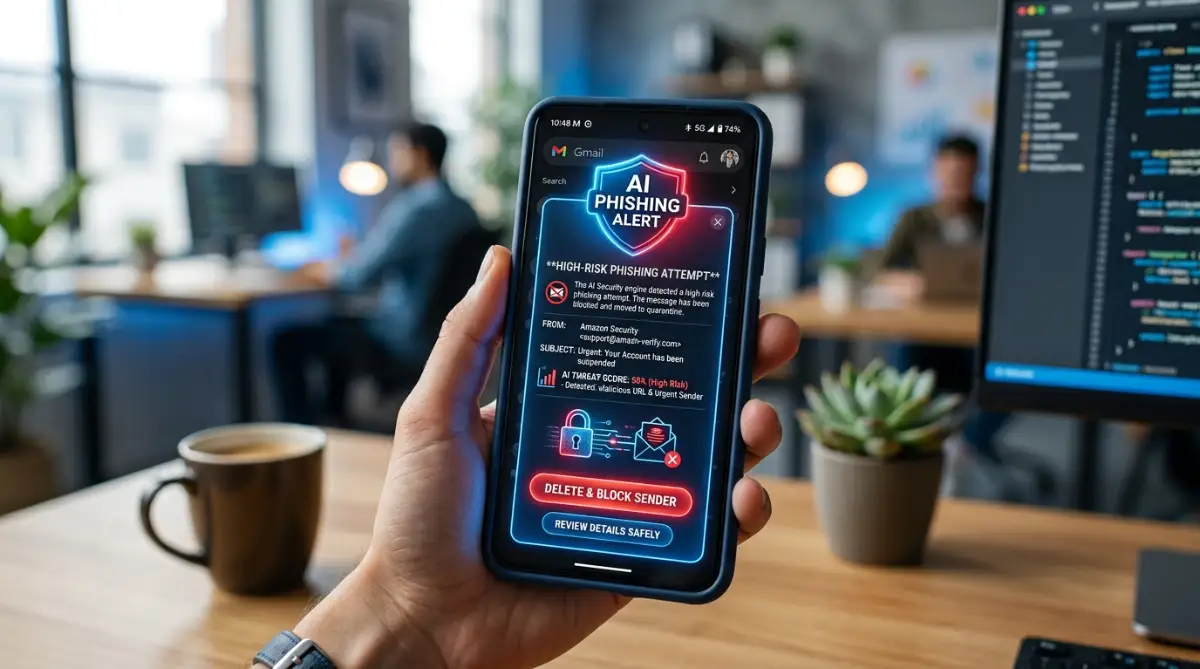
- Hyper-Realistic AI Phishing Scams: Cybercriminals now use generative AI to write flawless, personalized phishing emails that impersonate your vendors, banks, or tax authorities with zero spelling or grammatical errors.
- Human Error and Employee Fatigue: Over 90% of successful business data breaches stem from human error—such as an employee accidentally clicking an infected link, using weak passwords, or logging into public Wi-Fi without protection.
- Prohibitive Cost of Dedicated IT Staff: Hiring a full-time cybersecurity specialist costs upwards of $100,000 per year—an expense that most local storefronts and early-stage startups simply cannot afford.
How AI Security Tools Level the Playing Field
Artificial intelligence security platforms provide enterprise-grade protection tailored for non-technical small business owners:
Autonomous threat detection and isolation AI agents constantly monitor your business laptops, cloud drives, and email accounts. If suspicious activity occurs (like an overnight download of your customer database from an unfamiliar country), the AI instantly blocks access and isolates the device automatically.
Running a business is inherently stressful, but worrying about whether a malicious email will destroy your customer records shouldn't keep you awake at night. There is an incredible emotional weight lifted when you deploy easy, automated AI security software. Knowing that an intelligent digital shield is quietly working in the background—filtering malicious links, backing up data, and locking down accounts—allows you to sleep peacefully and focus on serving your customers.
Visual Insight: AI in Cybersecurity Explained
Watch this clear and practical video guide from IBM Technology to understand how AI operates in modern cybersecurity, how machine learning detects cyber threats automatically, and why automated defenses are crucial for business security!
Top 5 Easy AI Security Tools for Small Businesses
We evaluated leading AI cybersecurity software based on ease of use, setup speed, small business pricing, and automated protection power. Here are the top 5 tools for small business data protection:
1. CrowdStrike Falcon Go — Best Next-Gen Endpoint Protection
CrowdStrike Falcon Go is designed specifically for small businesses needing lightweight, enterprise-grade device security. Its AI engines run silently on employee laptops and desktops, blocking ransomware, zero-day malware, and malicious downloads in real time without slowing down computer speed.
For more ideas on streamlining your small business digital infrastructure, review our guide on simple AI-driven setup tools.
2. Vade for Google Workspace / Microsoft 365 — Best AI Email Defense
Email is the #1 entry point for cyberattacks. Vade integrates directly into Microsoft 365 and Google Workspace, using predictive AI algorithms to analyze incoming email links, sender reputation, and attachments to intercept sophisticated phishing and business email compromise (BEC) scams before they reach employee inboxes.
3. Darktrace HEAL — Best Autonomous Self-Healing Security
Darktrace uses self-learning AI to understand your unique business ecosystem. When Darktrace detects an active cyber threat, its autonomous response feature ("HEAL") immediately neutralizes the attack and restores compromised files back to their original uninfected state automatically.
4. 1Password for Business (with AI Watchtower) — Best Password & Credential Security
Weak passwords cause 80% of corporate breaches. 1Password for Business combines encrypted team vault management with AI Watchtower analytics, automatically flagging compromised passwords, detecting duplicate credentials across team members, and mandating secure 2FA authentication.
5. Huntress — Best Managed AI Threat Hunting for SMBs
Huntress combines automated AI threat detection with human cybersecurity experts who monitor your business endpoints 24/7. It provides step-by-step 1-click remediation instructions whenever a potential vulnerability or breach attempt is identified.
Step-by-Step Blueprint to Secure Your Small Business Data
Protecting your company does not require an expensive overhaul. Implement these five straightforward steps today:
Step 1: Audit and Categorize Your Sensitive Data Assets: Identify where your most valuable data lives. List all devices holding customer credit card info, tax documents, employee Social Security numbers, and proprietary trade records. Restrict folder permissions so employees only access files required for their specific role.
Step 2: Deploy AI Email and Endpoint Protection First: Because 90% of breaches originate through email or compromised laptops, deploying AI email filters (like Vade) and endpoint security (like CrowdStrike) instantly blocks 95%+ of incoming cyber threats.
My Personal Pro Tip: When I set up my small business endpoints, I made multi-factor authentication (MFA) mandatory across all admin accounts before installing any other software. If you need assistance managing credit profiles or personal business financing, check out our guide on improving credit scores quickly.
Step 3: Enforce Multi-Factor Authentication (MFA) Universally: Enable Multi-Factor Authentication (MFA) or Two-Factor Authentication (2FA) across every single business application—especially business email, banking portals, and accounting software. MFA stops 99.9% of automated account takeover attacks!
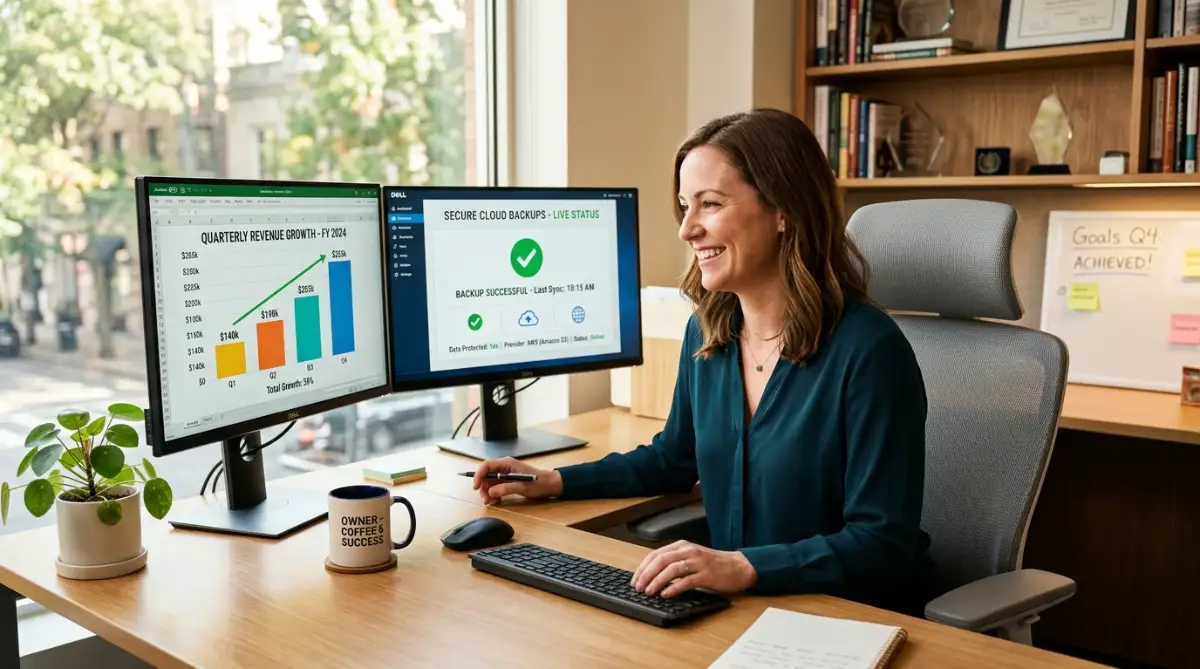
Step 4: Establish the 3-2-1 Automated Cloud Backup Rule: In the event of physical hardware failure or ransomware, automated backups ensure instant recovery. Follow the 3-2-1 Rule: maintain 3 total copies of your business data across 2 different media types, with 1 copy stored in an isolated, encrypted cloud location. For additional student or staff loan management, explore our insights on smart student loan and financing options.
Managing Tech Expenses and Financial Health
Protecting your small business requires balancing tech software costs with sound financial management:
1. Maintaining Cash Buffers for Unforeseen Cyber Expenses: Recovering from temporary IT interruptions or buying security hardware requires steady cash reserves. Read our complete guide on building a bulletproof emergency fund fast to construct a business cash cushion that protects your working capital during emergency situations.
2. Streamlining Existing Business Debt & Credit Lines: If you carry high-interest credit card debt or personal loans used to fund initial equipment purchases, learning how to consolidate multiple debts without hurting your credit score helps lower monthly overhead and free up cash flow for essential security subscriptions.
3. Avoiding Predatory Emergency Borrowing: Taking out rushed, high-interest personal or business loans during an emergency without evaluating terms causes long-term strain. Review standard personal loan mistakes you must avoid before taking on new debt obligations, and ensure you understand what happens if you miss an EMI payment to safeguard your credit profile during crisis recovery periods.
Protecting the Sacred Trust of Your Clients
At the end of the day, securing your small business data isn't just about managing IT hardware—it's about honoring the trust your customers place in your business every time they hand over their credit card or personal details. When you deploy easy, intelligent AI security tools, you build a resilient business that protects your hard work, honors your client relationships, and guarantees a prosperous future for your enterprise.
I know how overwhelming technology security can feel for a busy founder, but taking these simple automated steps today makes all the difference. Safeguard your business data and run your enterprise with absolute confidence.
Quick Guide: Small Business Security Do's and Don'ts
Frequently Asked Questions on Small Business AI Security
How much do easy AI security tools cost for a small business?
Basic AI endpoint and email security tools cost between $3 and $8 per user per month. For a team of five employees, comprehensive AI protection costs under $35/month—a tiny fraction of a $50,000 data breach recovery cost!
Do I need an IT background to install these AI tools?
No! Modern SMB-focused AI security software features 1-click cloud setup wizards designed specifically for non-technical business owners, running silently in the background automatically.
What is the 3-2-1 backup rule for small business data?
It means keeping 3 total copies of your data across 2 different storage media types, with at least 1 copy stored offsite or in encrypted cloud backup.
Can AI really stop ransomware attacks on small business laptops?
Yes, modern endpoint tools like CrowdStrike use behavioral AI to detect unauthorized file encryption attempts and instantly isolate infected laptops before ransomware spreads.
How does Multi-Factor Authentication (MFA) prevent data breaches?
MFA requires a second form of verification (like a mobile push notification) beyond just a password, blocking 99.9% of automated credential stuffing and hacking attempts.
Disclaimer: This article is published exclusively for educational and informational purposes. It does not constitute formal cybersecurity engineering, legal compliance, or corporate IT advice. Cyber threat vectors and software features evolve constantly. Always consult with a qualified cybersecurity professional or certified IT consultant to evaluate your company's specific security infrastructure.