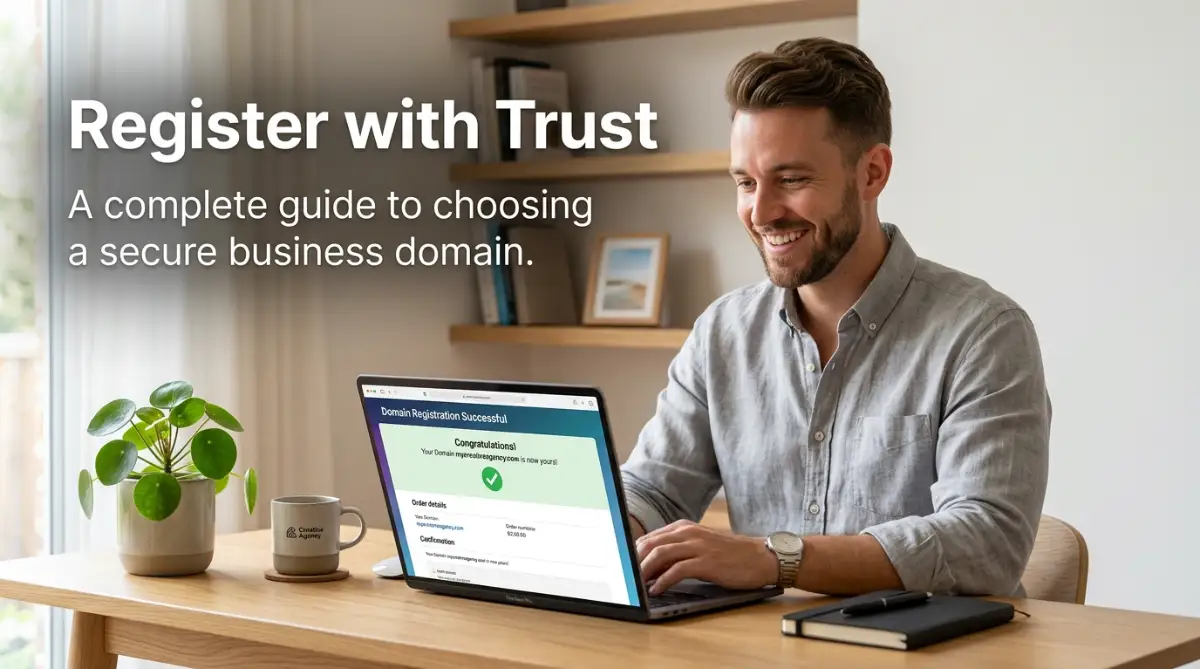
Easy Steps to Find a Great Domain Name for Your Website: A Complete US Guide to Naming Rules, TLD Selection, SEO, and Brand Protection
In the modern, fast-paced digital business world, choosing a custom web domain name (e.g., yourbrand.com) is one of the most defining decisions an entrepreneur, content creator, or small business owner will ever make. Your domain name serves as your digital front door, your brand's permanent web address, the primary signal of commercial credibility to prospective buyers, and the anchor for all your digital marketing and Search Engine Optimization (SEO) efforts. Long before a customer visits your homepage, reads your content, or purchases your products, they interact with your domain name on search engines, business cards, email signatures, and social media links.
However, finding a great domain name in today’s saturated online marketplace can feel like a daunting challenge. With over 360 million active registered domain names globally—and tens of thousands of common dictionary words owned by domain brokers and squatters—discovering an available, memorable, and high-impact web address requires a structured naming strategy. Many first-time website owners fall into common traps: choosing overly complex, hyphenated domain names, stuffing unnatural keywords, or accidentally infringing on active trademarks. In this ultimate step-by-step guide, we break down the exact process to discover a great domain name for your website, evaluating brand ability criteria, top-level domain (TLD) extensions, legal trademark audits, and defensive registration strategies.
David, a specialty coffee roaster in Ohio, spent three weeks obsessing over an exact-match keyword domain for his new business. He initially registered bestartisanalcoffeeroastersinohio.com, believing that the long keyword string would boost his Google search rankings. However, when customers tried typing his web address on mobile phones, they frequently made spelling errors. Furthermore, when David mentioned his site during a local radio interview, listeners couldn't remember the lengthy URL. Recognizing his mistake, David rebranded to a short, punchy 8-letter brand name: brewcraft.co. His brand recall soared overnight, word-of-mouth referrals doubled, and his social media engagement tripled within three months. David reflects: "A domain name isn't an SEO sentence—it's a brand asset. Keeping it short, memorable, and easy to type changed our business trajectory."
When I first started building websites years ago, I made every possible naming mistake imaginable. I thought cramming SEO keywords into a long URL was the secret to instant rankings, only to realize that nobody could remember my clunky web addresses. It took me several failed projects and lost customers to understand that branding always triumphs over forced keywords. That frustrating experience taught me how to develop a foolproof naming framework that protects your brand from day one.
Choosing a custom web domain name is one of the most defining decisions you will make when launching a website, digital brand, or online business. Your domain serves as your permanent web address, your digital storefront, and the foundational anchor for all your marketing and search engine optimization efforts. In this comprehensive guide, we walk you through a proven, step-by-step framework to discover a memorable domain name—covering golden naming rules, modern TLD extension strategies, USPTO trademark checks, and essential brand protection tips to set your venture up for long-term success.

1. The Four Golden Rules of a Winning Domain Name
To choose a domain name that stands out and builds long-term brand authority, run every idea through these four fundamental naming criteria:
The 4 Pillars of High-Impact Domain Names:
- Rule 1: Prioritize Brand ability Over Keyword Stuffing: Modern search engine algorithms rank high-quality brand experience over keyword-stuffed domain URLs. Choose unique, brand able names (like *Spotify, Uber, Etsy, or Canva*) that customers can easily remember and share.
- Rule 2: Pass the "Radio Test" (Pronounce ability & Clarity): If you speak your domain URL verbally over a phone call or podcast, can a listener spell it accurately on their first attempt without asking *"Is that spelled with a hyphen or a number?"*
- Rule 3: Keep It Under 15 Characters: Short domain names reduce mobile typing friction, decrease user typo rates, and look cleaner on corporate marketing collateral.
- Rule 4: Avoid Hyphens, Numbers, and Double Letters: Hyphens (e.g.,
best-coffee-shop.com) signal low quality and spam to consumers. Double consecutive letters (e.g.,presssetup.com) lead to constant user spelling typos.
To analyze broader small business software economics and digital asset management strategies, explore our comprehensive analysis of small business software economics and digital asset management.
My Personal Pro Tip (By Md Jahangir Alam): Whenever I brainstorm a new domain name, I always test it with the "Bar Test." I imagine telling someone my website name in a loud, crowded coffee shop or bar. If they look confused or ask me to spell it out letter by letter, the domain is too complex. Keep your name phonetic, simple, and crystal clear!
Watch this expert video walkthrough demonstrating real-world domain search tools, brainstorming strategies, TLD selection criteria, and domain registration hacks:
2. Selecting the Right Domain Extension (TLD Strategy)
Your domain extension—known as a Top-Level Domain (TLD), the suffix following the dot in your URL—communicates your brand’s category and commercial credibility instantly:
A. The .COM Extension Benchmark
If your exact business name is available as an unhyphenated, clean .com, buy it immediately. The .com extension holds massive psychological trust in North America, and smartphone keyboards feature a dedicated ".com" shortcut key.
B. Modern High-Authority Alternatives
If your target .com domain is owned by a domain broker demanding thousands of dollars, do not panic. Modern alternatives like .co (for general business), .ai (for artificial intelligence and tech), .io (for software platforms), and .me (for personal portfolios) offer sleek, professional alternatives at standard registration prices.
Elena, a freelance interior design consultant, wanted to register elenadesign.com for her personal consulting brand, but found it owned by a domain squatter demanding $8,500. Refusing to pay the exorbitant broker fee, Elena applied a smart naming hack: she appended a clean brand descriptor word and registered elenadesignstudio.com, while also securing elena.me for her digital resume portfolio for under $15 each. Her short .me domain became her primary link on Instagram and business cards, driving a 40% increase in direct project inquiry calls. Elena shares: "Getting creative with your domain suffix or brand descriptor word saves you thousands of dollars while creating a polished, modern web link."

3. Step-by-Step Brainstorming & Discovery Protocol
Follow this structured 4-step protocol to generate and refine your domain name ideas:
- Step 1: List 10 Core Brand Keywords: Write down ten words that capture your core business services, target audience benefits, and brand personality (e.g., *swift, craft, apex, nexus, lab, studio, peak*).
- Step 2: Utilize AI Domain Generators: Input your seed keywords into free domain discovery tools like Lean domain search, Name lixiviated, or Busta name to generate hundreds of available compound domain name combinations instantly.
- Step 3: Check Social Media Handle Availability: Use tools like Name CHK to verify that matching usernames are available across major social platforms (X/Twitter, Instagram, TikTok, LinkedIn) to maintain consistent cross-channel branding.
- Step 4: Conduct Pronunciation & Spelling Audits: Ask three friends to write down your proposed domain name after hearing you say it once out loud. If they spell it wrong, refine the name.
To discover strategies for sourcing small business grants and founder funding, read our guide on proven strategies for sourcing small business grants and founder funding.
4. Legal Trademark Audits & Defensive Registrations
Before entering your credit card details on a domain registrar website, you must protect your business from legal liabilities and brand theft:
Critical Pre-Purchase Security & Legal Steps:
- Conduct a USPTO Trademark Search: Perform a free search on the official United States Patent and Trademark Office (USPTO) Tess database to verify your proposed domain does not violate active US corporate trademarks, preventing costly lawsuits.
- Execute Defensive Registrations: Purchase common misspellings, phonetic variations, and secondary extensions (.net, .co, .org) of your primary brand name to prevent competitors or scammers from diverting your web traffic.
- Mandate Free Lifetime Who is Privacy Shielding: Choose ICANN-accredited domain registrars (such as Cloud flare, Name cheap, or Pork bun) that include free lifetime Who is Privacy Protection to mask your personal home address and phone number from public spammers.
Learn how to optimize financial workflow automation and business banking operations in our essential guide to financial workflow automation and business banking management.
If you are exploring career opportunities in remote small business operations or system administration, review our guide to the best high-paying remote roles and small business operations careers.
Marcus launched a successful e-commerce brand selling athletic apparel without performing a USPTO trademark search. Eight months after reaching $35,000 in monthly sales, he received a formal legal Cease-and-Desist letter from a national corporate brand holding a registered trademark on his chosen business name. Marcus was legally required to forfeit his domain name, rebrand his company, and destroy $8,000 worth of printed product inventory. Marcus reflects: "Spending ten minutes searching the USPTO trademark database before buying a domain name is the most valuable legal protection a business owner can execute. Never skip trademark verification."
5. The Master 6-Step Domain Name Selection Checklist
Follow this chronological master checklist to select and register your website domain name:
- Step 1: Keep It Short & Brand able: Target a unique name under 15 characters without hyphens or numbers.
- Step 2: Prioritize .COM or Modern TLDs (.CO, .AI, .ME): Choose an extension that projects commercial authority and fits your specific industry.
- Step 3: Test Pronunciation & Radio Clarity: Ensure the domain name is easy to spell and dictate verbally.
- Step 4: Verify Social Media Handles: Confirm matching usernames exist across Instagram, LinkedIn, and X.
- Step 5: Perform USPTO Legal Trademark Audits: Verify no active US trademark conflicts exist for your name.
- Step 6: Register via ICANN Registrar with Free Who is Privacy: Enable Who is privacy, 2FA security locking, and auto-renew.
6. Final Summary & Path Forward
Selecting a great domain name is the foundational first step toward building a thriving online presence. By choosing a short, brand able name, selecting a high-authority TLD extension, conducting legal trademark checks, and enforcing Who is privacy security, you establish a resilient digital asset that grows in value alongside your enterprise.
As I look back at my own journey building online brands, I realize that securing a clean, memorable domain name sets the tone for your entire marketing strategy. Take charge of your brand identity today by brainstorming your seed keywords, performing your trademark searches, registering your domain securely, and stepping confidently into a professional, secure, and flourishing digital future!
Frequently Asked Questions
What is the most important rule when choosing a domain name?
Prioritize brand ability and simplicity over keyword stuffing. A short, memorable name builds stronger long-term customer recall than a long, clunky keyword URL.
Should I use hyphens in my domain name?
No, avoid hyphens entirely. Hyphens look spammy, confuse users during verbal communication, and increase typing errors on mobile keyboards.
Are alternative TLDs like .co or .ai safe for SEO?
Yes, Google treats modern generic Top-Level Domains equally. As long as your content quality and user experience are high, alternative TLDs rank exceptionally well.
Why is a USPTO trademark search necessary before buying a domain?
Checking the USPTO database ensures your chosen business name doesn't infringe on existing registered trademarks, protecting you from costly legal lawsuits and forced rebranding.
What is Who is privacy and why do I need it?
Who is privacy shields your personal home address, email, and phone number from public domain registries, keeping you safe from spam and data scrapers.
Disclaimer
The information provided in this article is for educational, informational, and general technical guidance only and does not constitute formal legal, trademark, or intellectual property advice. Domain name availability, annual renewal pricing, ICANN policies, WHOIS privacy regulations, and trademark statutes are subject to change over time. Business owners are strongly encouraged to conduct independent trademark searches on the official USPTO portal and consult with an intellectual property attorney before finalizing brand domain registrations.