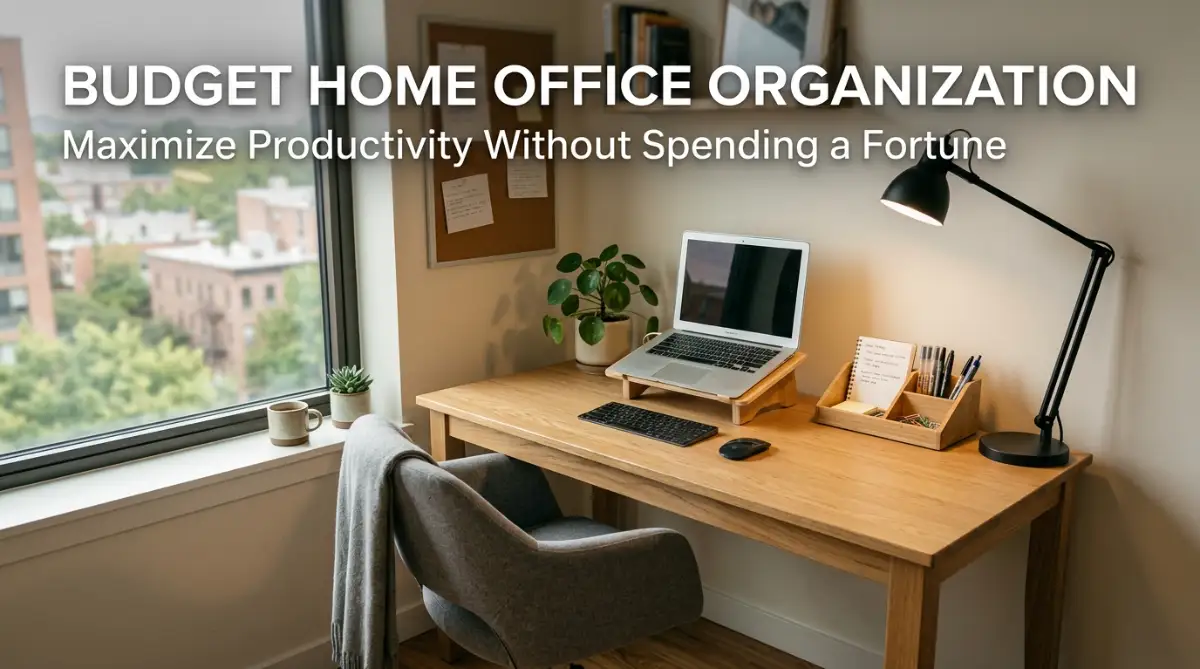
Mastering Home Office Organization: How to Transform Your Workspace on a Budget
Struggling to stay focused in a cluttered environment? Discover how to turn a messy desk into a clean, highly productive remote workspace without spending a fortune. Explore practical DIY storage solutions, smart ergonomic hacks, and easy cable management tricks to boost your daily focus and mental clarity.
A few years ago, I found myself trying to run an entire remote workload from the corner of my cluttered kitchen table. My workspace was an absolute disaster, surrounded by loose mail, tangled charging cords, and cold coffee cups. Every morning, I spent ten minutes searching for missing notebooks or digging through piles of paper just to find a single pen. My neck ached from hunching over a low laptop screen, and my focus was constantly broken by the surrounding visual chaos. By 3:00 PM every afternoon, my energy was completely drained and my head was pounding with stress. I felt overwhelmed and frustrated, convinced that I couldn't be productive unless I spent thousands of dollars on custom furniture.
When I looked at luxury home office tours online, the expensive ergonomic chairs and solid wood desks felt totally out of reach for my budget. I simply did not have hundreds of extra dollars to throw at fancy office setups.
That frustration pushed me to experiment with simple, low-cost organization tricks using dollar-store supplies, repurposed cardboard, and DIY storage fixes. Within a single weekend, I transformed a tiny spare corner into a clean, high-productivity home office without breaking the bank.
Today, I am excited to share that exact step-by-step roadmap with you so you can build a calm, efficient workspace on a tiny budget.
Working in a Cluttered Environment
Working in a messy, disorganized home environment drains your mental energy long before your workday even ends. When your desk is covered in random items and tangled wires, your brain is constantly processing unnecessary visual noise.
This subtle background distraction increases stress, causes mid-day decision fatigue, and makes simple daily tasks take twice as long as they should. Over time, a chaotic environment can make you dread sitting down to work every single morning.
The good news is that creating a peaceful, productive workspace does not require expensive interior designers or luxury furniture stores. By applying smart organization systems and reusing items you already own, you can build an ideal office environment on a shoestring budget.
Let's step through the practical, budget-friendly strategies that turn workspace chaos into an organized hub for deep focus.
The Step-by-Step Budget Blueprint for Home Office Organization
Organizing a home office on a budget requires a structured approach so you do not waste money on unnecessary containers or gadgets. Starting with a clear plan ensures that every change you make serves a real functional purpose.
By dividing your project into manageable phases, you can transform your space gradually without feeling overwhelmed or overspending.
Phase 1: The Zero-Cost Purge and Space Assessment
Before buying any storage bins or desk trays, you must clear out everything that does not belong in your workspace. Buying containers for items you don't need is a huge waste of money.
- Empty Your Entire Desk: Take every single item off your desk, out of your drawers, and off your shelves. Place everything in the center of the floor or on a nearby bed so you can see your entire inventory clearly. Wipe down your empty desk surface with a damp cloth to create a clean physical slate. Starting with a blank canvas helps you evaluate your space with fresh eyes.
- Sort Your Items into Three Strict Piles: Divide all your office items into three distinct categories:
- Keep (Daily Use): Items you touch every single day, such as your laptop, main notebook, favorite pen, and water bottle.
- Store (Occasional Use): Tax documents, extra printer paper, reference books, and backup office supplies.
- Trash/Recycle: Dried-up pens, duplicate cords, outdated receipts, and broken equipment. Throw away or recycle the clutter immediately so it never finds its way back onto your desk surface.
Phase 2: DIY Ergonomics and Comfortable Desk Setups
Physical discomfort is one of the biggest productivity killers in any home office. Hunching over a laptop or sitting on an unsupportive chair causes back pain, eye strain, and premature fatigue.
- Build a Free Laptop Riser: Your computer monitor or laptop screen should sit directly at eye level so you do not tilt your head downward while working. Instead of buying a $40 metal stand, stack a few thick hardcover books or a sturdy shoebox under your laptop. Place an external keyboard and mouse on your desk surface so your arms rest at a comfortable 90-degree angle. This simple zero-cost adjustment protects your neck muscles immediately.
- Hack Your Existing Chair for Lumbar Support: If you cannot afford a $300 ergonomic office chair, upgrade your current kitchen or desk chair using household items. Roll up a soft bath towel or place a small accent pillow behind your lower back to support your natural spine curve. You can also place a small footrest or a stack of books under your feet if they do not rest flat on the floor. Proper posture keeps your blood circulating freely, keeping your energy levels steady throughout the day.
Phase 3: Cable Management Under $10
Tangled cords hanging behind your desk look terrible and collect dust quickly. Managing your wires is one of the cheapest ways to make your home office feel instantly professional.
- Use Binder Clips as Cable Holders: Attach standard metal binder clips to the back or side edge of your wooden desk. Thread your phone charger, laptop power cable, and headphone wires through the metal handles. The binder clips keep the ends of your cords from falling onto the floor whenever you unplug your devices. This simple office hack costs less than two dollars and works incredibly well.
- Create a Shoebox Cable Hideaway: Take an ordinary cardboard shoebox, cut a few small slots in the side, and place a power strip inside it. Route your device chargers through the slots and cover the box with its lid. This keeps bulky power adapters and extra wire lengths completely hidden from view. You can even wrap the shoebox in attractive gift paper to match your room decor.
Phase 4: Maximizing Vertical Space and Storage
When you have a small desk surface, using your vertical wall space is essential for keeping items organized. Getting paperwork and extra supplies off your main desk gives you room to breathe and focus.
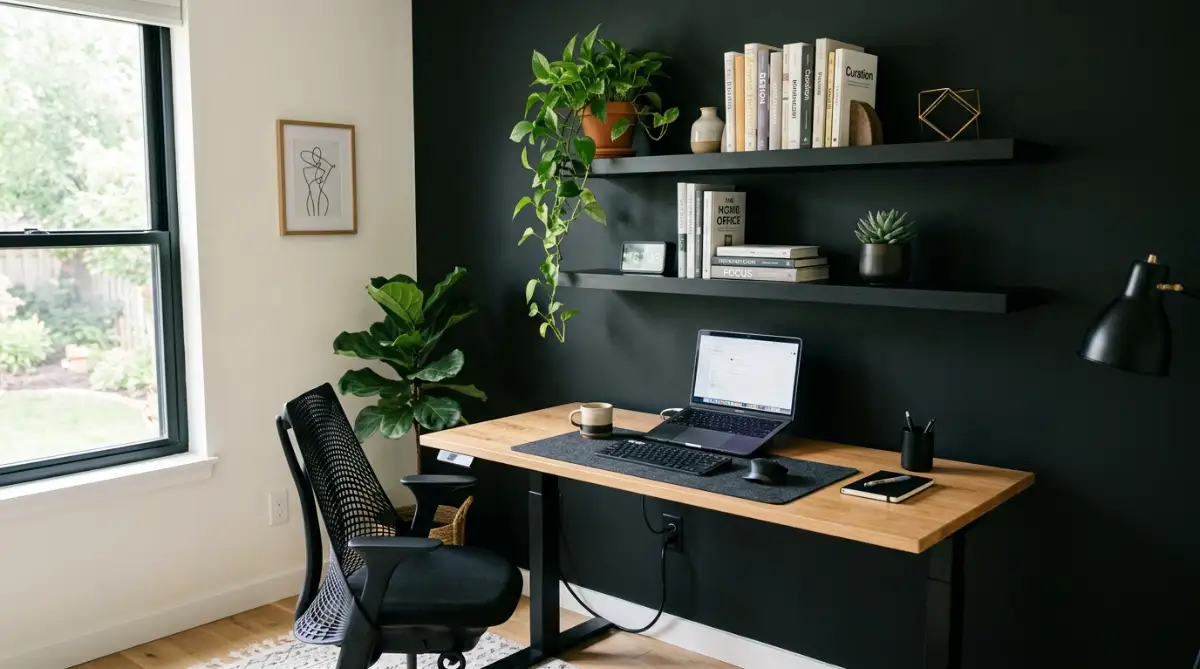
- Install Floating Wall Shelves: Inexpensive wooden or laminate floating shelves installed above your monitor provide instant storage space. Use these shelves to store books, small plants, and storage baskets for less frequently used supplies. Keeping non-daily items on wall shelves preserves your desktop for active work tasks. Vertical storage makes even a tiny apartment corner feel spacious and structured.
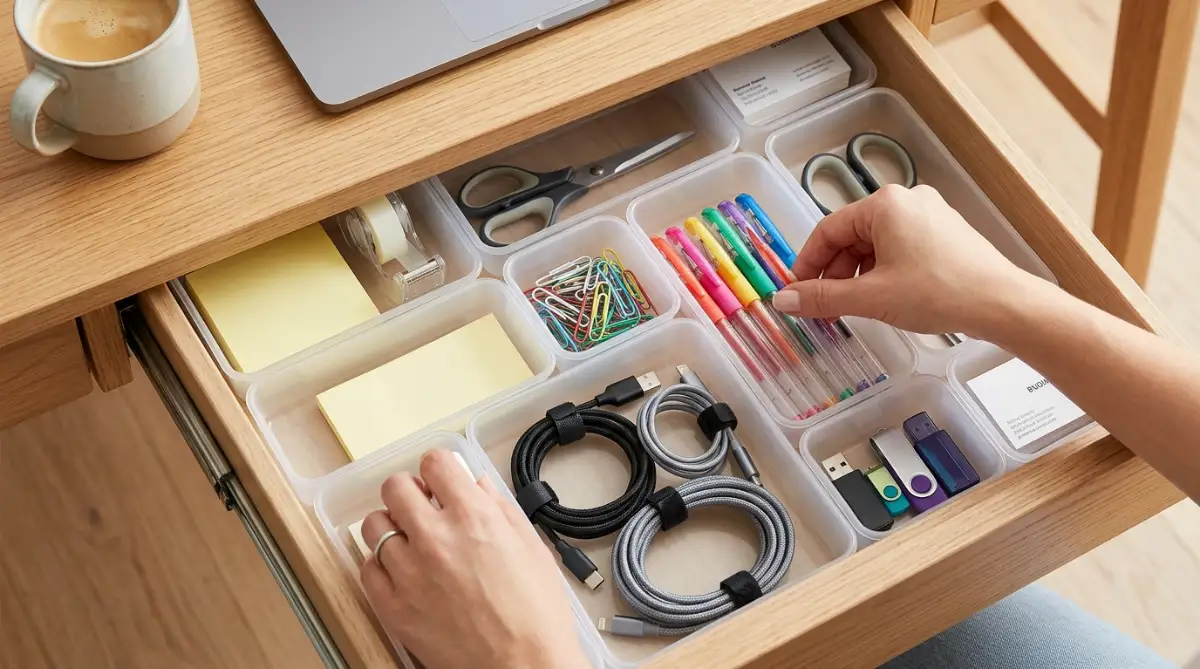
- Reframe Dollar-Store Wire Baskets and Boxes: Visit your local dollar store or discount shop to pick up basic plastic bins, wire baskets, and cardboard boxes. Group similar items together—such as extra cords in one bin and sticky notes in another—and label each container clearly. If you prefer a cohesive look, spray-paint mismatched plastic containers in a single neutral color like white or matte black. Labeled bins eliminate time wasted searching through drawers for spare supplies.
Phase 5: Digital and Paper Workflow Systems
Organizing physical clutter is only half the battle; managing paper documents and digital files is just as important for maintaining focus.
- Set Up an In/Out Paper Sorting Tray: Keep loose papers from scattering across your desk by using a simple two-tier paper tray or vertical magazine holder. Label the top section "In Progress" and the bottom section "Complete/File." Process your incoming mail or documents once a day, moving items through the tray system efficiently. At the end of each week, scan important physical papers into digital copies and recycle the originals whenever possible.
- Create a Clean Digital Desktop: A cluttered computer desktop creates just as much mental stress as a messy physical desk. Delete old installation files, empty your digital trash bin, and organize stray documents into main folder categories. If you run a business or manage personal projects alongside daily work, keeping your tools organized is critical. Utilizing easy AI website builders for small businesses allows you to streamline your online operations without hiring expensive technical help.
Comparison: High-Cost Upgrades vs. Smart Budget Hacks
Debunking Common Home Office Myths
- Myth 1: You need a dedicated, separate room to build a real home office.
- Reality: A clean 3-foot corner in a bedroom or living room can become an efficient workspace with proper organization and vertical shelving.
- Myth 2: Expensive aesthetic desk decor makes you more productive.
- Reality: Excess decorative items quickly turn into visual clutter that disrupts your focus. Functionality and simplicity always beat aesthetics when it comes to work efficiency.
- Myth 3: You have to buy brand-new office furniture to look professional.
- Reality: Secondhand desks from thrift stores or online marketplaces can easily be cleaned, painted, or upgraded for a fraction of retail prices.
My Personal Pro Tip
I practice the "10-Minute Evening Desk Reset" every single day before logging off! Right when my workday ends, I spend ten minutes putting away pens, filing loose papers, and clearing off my desk surface. Walking up to a perfectly clean desk the next morning gives me an immediate boost of mental clarity and motivation!
If you want a detailed video guide on building an organized budget home office, watch this video below:
Advanced Strategies for Long-Term Workspace Maintenance
Building an organized workspace is a great achievement, but keeping it tidy over time requires consistent maintenance systems. Without simple habits in place, clutter will gradually creep back onto your desk surface.
The first advanced strategy is implementing the "One-In, One-Out" Rule. Whenever you purchase a new office item—like a notebook, desk pen, or tech accessory—get rid of an older or unused item. This strict policy prevents physical clutter from expanding beyond your designated storage space. It forces you to evaluate whether a new purchase is genuinely worth replacing something you already own.
The second strategy is optimizing your office lighting for biological focus. Poor lighting causes eye fatigue, headaches, and drowsiness during long work sessions. Position your desk near natural window light whenever possible, but avoid placing screens directly in front of bright windows to prevent harsh glare. Combine ambient room lighting with a small LED task lamp focused on your paperwork to keep your eyes comfortable.
Aligning your daily habits with sound personal planning supports your overall peace of mind. For example, if you are organizing your finances alongside your workspace, reviewing how to improve your credit score before applying for a mortgage helps you build financial confidence while maintaining a low-cost lifestyle.
Similarly, taking proactive steps to protect your personal living environment provides ongoing security. Taking time to learn how to choose your first home insurance policy without stress safeguards your physical home and personal equipment from unexpected accidents.
If you are a student or balancing education with a busy remote schedule, structuring your environment is critical. Reviewing federal vs private student loans: how to choose wisely helps simplify your educational debt while you focus on your studies.
Students attending the best community colleges in the USA for affordable education often use simple budget study spaces to balance coursework, part-time jobs, and rest effectively.
Finally, perform a monthly mini-audit of your office tools and digital subscriptions. Purging unused files and returning misplaced supplies to their proper bins keeps your workspace functioning like a well-oiled machine.
Major Mistakes That Ruin Budget Home Office Setups
While organizing your home office on a budget is extremely rewarding, falling into common traps can ruin your hard work. The biggest mistake people make is buying cheap, flimsy storage containers before purging their clutter.
If you buy storage bins without decluttering first, you end up spending money just to organize garbage and useless papers. Always sort, purge, and categorize your belongings before purchasing a single box or basket.
Another major mistake is sacrificing physical health to save a few dollars. Working on a couch or sitting on an unsupportive wooden stool for eight hours a day causes severe physical strain over time.
Use rolled towels, cushions, and book stacks to adjust your posture until you can afford proper ergonomic gear. Your physical health should always take priority when designing any home workspace.
Lastly, do not fall into the trap of over-complicating your organizational systems. If a storage system takes too many steps to use, you will naturally abandon it when work gets busy.
Keep your filing systems, paper trays, and supply bins as simple and easy to reach as possible.
Transforming Your Daily Work Experience Today
Organizing your home office on a budget is not about spending money on expensive decor or fancy gadgets. It is about creating a calm, functional environment that respects your time, focus, and hard-earned savings.
By clearing unnecessary clutter, using DIY ergonomic support, hiding messy cables, and maximizing wall space, you turn your workspace into a productivity powerhouse. You no longer have to feel stressed or distracted when sitting down to work every morning.
I hope this practical guide inspires you to take a fresh look at your home office setup today. Pick one or two budget hacks to try this weekend, clean off your desk surface, and enjoy the incredible mental clarity that comes with an organized space!
Frequently Asked Questions
How can I organize a home office if I have a very small space?
Focus heavily on vertical storage by installing floating wall shelves or a wall pegboard directly above your desk. Keep only your daily essential items on the desk surface and use labeled containers on higher shelves for everything else.
What is the cheapest way to manage tangled computer cables?
Use household binder clips clamped to the desk edge to hold charger cables in place, and hide power strips inside an ordinary cardboard shoebox with cut holes. You can also group long wires together using cheap velcro straps or twist ties.
How do I improve my posture at work without buying a new ergonomic chair?
Place a rolled bath towel or small cushion behind your lower back for lumbar support, and put a stack of books or a box under your laptop screen to bring it to eye level. Ensure your feet rest flat on the floor or on a simple footrest.
What are the most essential items to keep on my desk surface?
Keep only items you touch daily on your desk surface, such as your computer, mouse, primary notepad, a pen, and a water bottle. Move extra paper, reference materials, and backup supplies into drawers or wall shelves.
How often should I clean and declutter my home office?
Perform a quick 10-minute desk reset at the end of every workday to put away supplies and clear your desktop. Do a thorough paper and supply purge once every few months to keep clutter from accumulating.
Category Disclaimer
The information provided in this article is for educational and informational purposes only and does not constitute formal medical, ergonomic, or financial advice. Individual physical health needs and workspace layouts vary. Always consult with a qualified health professional regarding chronic back or neck pain.