Why My Messy Desk Was Destroying My Career
I remember staring at my home office desk two years ago and feeling a heavy knot of anxiety in my chest. My workspace was an absolute disaster zone filled with coffee cups, tangled charging cords, and stacks of unopened mail.
Every single morning, I spent the first twenty minutes of my workday just trying to find my favorite pen or a specific client folder. I felt like I was constantly drowning in my own mess before I even typed a single word.
The physical clutter slowly transformed into intense mental fog, making it impossible for me to focus on my writing. I was missing important project deadlines, and my stress levels were negatively affecting my family life.
The breaking point arrived when I accidentally spilled water over a scattered pile of highly important tax documents. I lost hours of hard work, and the sheer panic of that moment was a massive wake-up call for me.
That expensive, stressful mistake forced me to completely rethink my relationship with my daily environment. I realized that keeping a clean workspace was not just about aesthetics, but an absolute necessity for my mental health.
I decided to research exactly how to organize my home office for better productivity and implement those changes immediately. Today, I want to share the exact strategies that helped me reclaim my space, my focus, and my peace of mind.

Your Step-by-Step Blueprint for a Productive Workspace
Organizing a workspace requires more than just throwing away old papers and wiping down your desk surface. You need a reliable system that actively supports your daily habits and workflow.
If you just clean up randomly without a plan, your room will become a messy disaster again within a week. Let us break down the exact steps you need to build a workspace that naturally encourages deep focus.
You do not need to buy expensive furniture to make these changes work for you right now. You just need to follow these practical principles and apply them to your current room layout.
Step 1: Execute a Ruthless Decluttering Session
Before you can organize anything, you have to eliminate the items that are stealing your physical space. Start by taking every single item off your desk, out of your drawers, and off your shelves.
Put everything into a massive pile in the center of your room so you can see exactly what you own. Go through each item and ask yourself if you have actually used it in the last thirty days.
Psychological studies show that physical clutter actively competes for your brain's attention, causing massive cognitive fatigue over time. Shred old financial papers securely, especially if you are currently researching how to improve your credit score before applying for a mortgage.
Step 2: Establish Work Zones
A highly functional home office is divided into specific zones based on your daily activities. Your computer desk should strictly be your "active work zone" where actual production happens.
Do not mix your active work zone with your reading, printing, or storage areas if you can avoid it. Having a separate corner for your printer and filing cabinet forces you to stand up and move throughout the day.
This zoning method works wonderfully for students as well. If you are taking online classes from one of the best community colleges in the USA for affordable education, a dedicated study zone will dramatically improve your grades.
Step 3: Master Your Lighting Situation
Poor lighting is the number one cause of severe eye strain and afternoon headaches for remote workers. If you only rely on a harsh overhead ceiling light, your energy levels will crash by 2:00 PM.
Move your desk closer to a window if possible, allowing natural sunlight to regulate your circadian rhythm. When natural light is not an option, invest in a quality LED desk lamp with adjustable color temperatures.
Medical professionals heavily recommend using soft, warm lighting in the evening to prepare your brain for restful sleep. I personally use cool blue light in the morning for high focus, and warm yellow light after sunset.
Step 4: Hide Your Cable Clutter
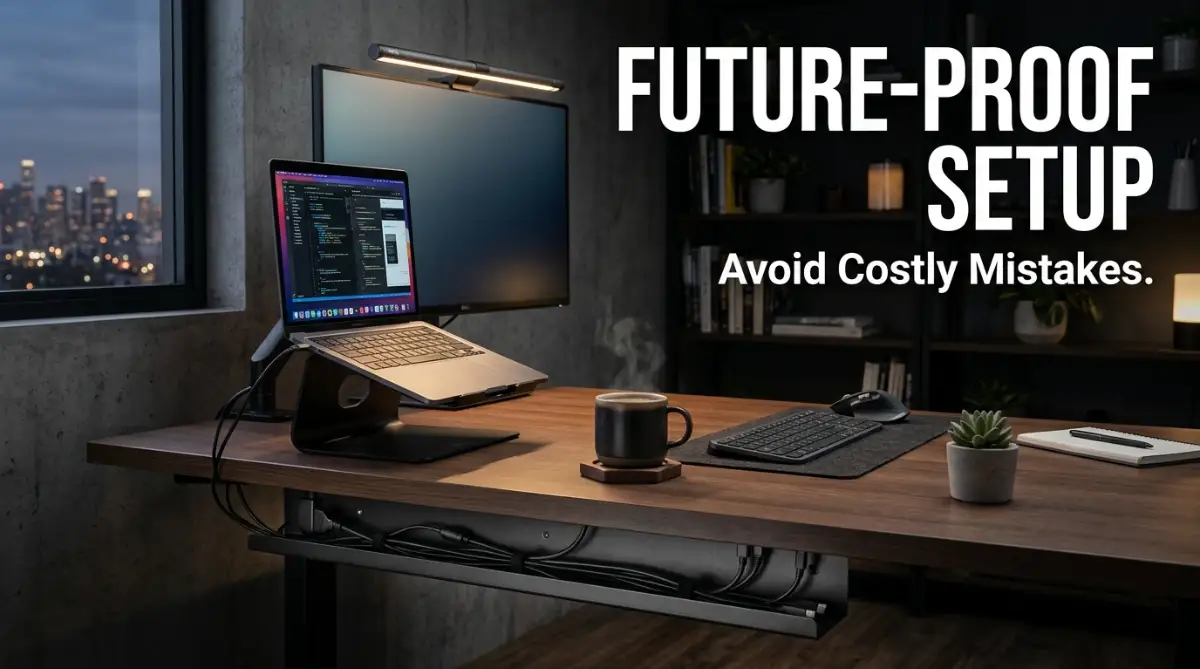
Nothing ruins the look of a clean office faster than a massive web of tangled black cables hanging under your desk. Cable clutter also makes it incredibly difficult to vacuum and dust your room properly.
Buy a simple under-desk cable management tray and mount it directly beneath your tabletop. Route your monitor cords, power strips, and charger cables through the tray to keep them completely hidden from view.
You can use cheap velcro ties to bundle wires together so they look like one thick cord instead of twenty thin ones. This simple fix makes your entire room look professionally designed.
Step 5: Implement the "One Touch" Rule for Paperwork
Paper clutter is incredibly sneaky and can take over your entire desk surface in a matter of days. To combat this, you need to implement a strict "one touch" rule for every document that enters your room.
When you pick up a piece of mail or a printed memo, you must immediately file it, act on it, or throw it away. You are never allowed to just put it back down on your desk to deal with later.
Transitioning to digital tools can also eliminate paperwork completely. Using easy AI website builders for small businesses helps you manage your projects online rather than relying on messy physical notebooks.
See the Transformation: Visual Setup Guide
Sometimes reading about organization is not enough to truly grasp how a space should flow. Seeing a room transformation happen visually can give you the exact inspiration you need to start moving furniture.
Watch this visual setup guide below to discover exactly how to arrange your room for maximum productivity:
Office Organization Tools Comparison
Here is a quick breakdown of the most effective organization tools I have tested. This table will help you figure out where to spend your budget first for maximum impact.
Myth vs Reality: Home Office Organization
- Myth: You need a massive, dedicated room to have a productive home office.
- Reality: You can create a highly focused workspace in a closet or living room corner by using smart vertical storage.
- Myth: Organizing takes an entire weekend of exhausting physical labor.
- Reality: Doing a 15-minute cleaning sprint at the end of each workday prevents massive messes from ever forming.
- Myth: A perfectly clean desk means you are not working hard enough.
- Reality: A clean environment actually reduces anxiety and allows your brain to focus entirely on solving complex problems.
My Personal Pro Tip:
I highly recommend taking a quick photo of your desk right now, before you start cleaning anything. After I spend a few hours organizing, I take another photo from the exact same angle. Whenever I feel too lazy to clean up at the end of the week, looking at those "before and after" pictures instantly motivates me to put my coffee cups away!
Next-Level Organization Strategies
Once you have mastered the physical basics of decluttering, it is time to look at long-term, advanced strategies. A truly optimized workspace supports your physical health and digital workflow simultaneously.
If you only clean the surface of your desk, you are missing out on major productivity gains. Let me share some advanced concepts that completely changed how I operate during the workweek.
First, you must address your digital environment with the same ruthless energy you applied to your physical room. A messy computer desktop with hundreds of random files will cause just as much stress as a messy physical desk.
Set aside one hour this weekend to create a clean folder structure for your current projects, client assets, and personal documents. Deleting old downloads and emptying your digital trash bin instantly makes your computer feel faster and more organized.
A clean digital and physical environment also helps protect your investments. Keeping proper digital records of your expensive office equipment is a smart move, much like knowing how to choose your first home insurance policy without stress.
Next, you need to incorporate biophilic design principles into your home office layout. Biophilic design simply means bringing elements of nature indoors to reduce stress and boost your mood.
Adding just one or two low-maintenance plants, like a Snake Plant or Pothos, can dramatically improve the air quality in your room. Workplace research shows that employees with natural elements in their workspace report a much higher level of creativity.
Another major strategy is to audit the ergonomics of your seating and desk height. You cannot be productive if you are constantly shifting in your chair because your lower back hurts.
Your monitor should sit exactly at eye level so you are not tilting your head down for eight hours a day. Your feet should rest flat on the floor, and your elbows should form a comfortable 90-degree angle while typing.
Finally, you must build a "shutdown routine" to maintain your newly organized space. A shutdown routine is a series of small tasks you perform during the last ten minutes of your workday.
My routine involves washing my coffee mug, wiping down my keyboard, and writing down my top three goals for tomorrow. When you adopt this habit, you ensure that you always walk into a perfectly clean, welcoming office the next morning.
Costly Office Setup Mistakes I Deeply Regret
I have made plenty of embarrassing and expensive mistakes while trying to build my dream home office. Some of these errors cost me hundreds of dollars and caused a massive amount of unnecessary physical pain.
My biggest blunder was prioritizing aesthetics and cheap furniture over actual ergonomic support. I bought a beautiful, mid-century modern wooden chair because it looked amazing on my social media feed.
Within three months, that hard wooden chair gave me such severe lower back pain that I could barely sit for an hour. I ended up spending a fortune on physical therapy and chiropractic adjustments to fix the damage.
I learned the hard way that you should never compromise on items that separate you from the ground, like your chair and shoes. A good chair might seem expensive upfront, but it is much cheaper than paying for long-term medical bills.
Another terrible mistake I made was buying overly complex filing systems and hundreds of colorful folders. I thought that buying expensive organizational products would magically make me an organized person.
Instead, the system was so complicated that I stopped using it entirely after the first week. The expensive folders just sat empty in the corner, becoming another source of visual clutter in my room.
Do not waste your hard-earned money on fancy storage containers until you have fully decluttered your existing items first. Financial discipline here is just as important as when you are comparing federal vs private student loans: how to choose wisely.
I also deeply regret ignoring the temperature and air flow in my office for my first year of remote work. My office room had terrible ventilation, and I constantly felt sleepy and sluggish by mid-afternoon.
Buying a small desk fan and cracking the window open for fresh air completely eliminated my afternoon brain fog. I wasted so many hours fighting sleepiness just because I did not realize my room was too stuffy.
Wrapping Up Your Office Transformation
Transforming your workspace from a chaotic mess into a peaceful productivity zone is a journey that requires patience. You do not have to tackle every single drawer and cabinet in one exhausting weekend.
Start by simply clearing off the main surface of your desk today, and enjoy the immediate sense of relief it brings. Building a functional office is about creating an environment that actively supports your goals and protects your energy.
I really hope my past mistakes and current strategies help you design a room you actually love spending time in. I can confidently say that taking the time to organize my physical space completely changed the trajectory of my remote career!
Frequently Asked Questions
Where is the best place to put a desk in a home office?
The best place for your desk is usually facing a door or window to give you a commanding view of the room. Try to avoid sitting with your back directly to an open door, as this can cause subconscious anxiety. Placing your desk perpendicular to a window also helps reduce harsh screen glare.
How often should I clean my home office?
You should do a micro-cleaning session for five minutes at the end of every single workday. A deeper cleaning, including dusting electronics and vacuuming the floors, should happen once a week. Maintaining this simple schedule prevents massive messes from building up.
Does a messy desk really affect my productivity?
Yes, extensive psychological research shows that physical clutter severely limits your brain's ability to process information. A messy desk constantly distracts your visual field, leading to faster mental fatigue and increased stress. Clearing your workspace instantly boosts your daily focus.
What should I keep on my desk surface?
You should only keep items on your desk that you use on a daily basis. This typically includes your computer, keyboard, mouse, a notepad, one pen, and a desk lamp. Everything else, like staplers or extra paper, should be stored away in a drawer out of sight.
How do I hide messy cables under my desk?
The easiest method is to install a wire management tray underneath the back edge of your desk. You can mount a power strip directly inside the tray and plug all your devices into it. Use velcro cable ties to wrap loose wires against the legs of your desk to make them invisible.
Category Disclaimer:
The information provided in this article is for educational and general planning purposes only. Always consult with a medical professional regarding severe ergonomic pain or workplace injuries.