
How Customer Complaints Almost Ruined My Business
I remember staring at my inbox on a Monday morning two years ago and feeling completely physically sick. My small online store had run a massive weekend sale, resulting in over four hundred unanswered customer support tickets. I was frantically trying to handle shipping delays, refund requests, and product questions entirely by myself.
Every single hour I spent answering repetitive emails was an hour taken away from actually growing my business. The stress was giving me severe migraines, and angry customers were starting to leave terrible reviews online.
I felt like my dream business was slowly turning into a never-ending customer service nightmare. I was constantly apologizing for late replies, and the heavy guilt of letting people down ruined my weekends.
Hiring a full-time support team across different time zones was way too expensive for my current operating budget. I knew I needed a system that could answer basic questions instantly without requiring my constant, exhausted supervision.
That painful weekend forced me to look into artificial intelligence to save my reputation and my sanity. I finally realized that automating my customer support was not about replacing the human touch, but protecting my energy.
I tested dozens of virtual assistants to find the ones that actually sound natural and highly helpful. Today, I want to share the absolute best AI customer service chatbots to automate your support safely and effectively.
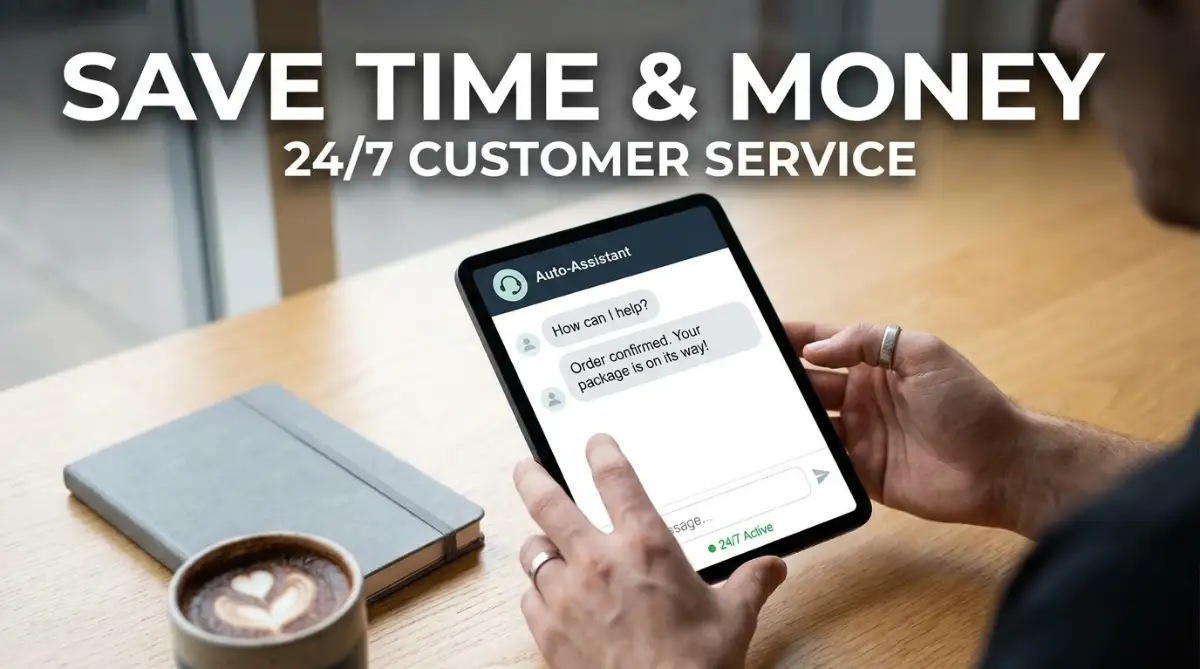
Building a 24/7 Automated Support System
Choosing the right conversational software can feel incredibly overwhelming when every single company claims to be the absolute best. You cannot simply install a random widget on your site and expect your customers to instantly love it.
You need to find a tool that perfectly matches your specific industry and your team's technical skill level. A complex enterprise tool might be completely useless for a small online boutique selling handmade crafts.
If you are serious about scaling your operations this year, you need a highly strategic approach to buying support software. Let us break down the exact top 5 platforms that are dominating the customer service industry right now.
1. Intercom: The Ultimate SaaS Support Tool
When it comes to highly visual, personalized customer messaging, Intercom is currently leading the software industry by a wide margin. It uses a brilliant conversational interface that allows managers to see the exact user journey instantly.
You can easily build custom automated workflows for everything from software onboarding to complex technical troubleshooting. The interface is incredibly intuitive, meaning your non-technical support staff will learn how to use it within an hour.
Their newest AI bot, Fin, reads your entire help center and answers customer questions using only your official documentation. This completely eliminates the fear of the bot making up false refund policies or giving bad advice.
2. Zendesk AI: The King of Helpdesk Automation
Zendesk has been a dominant force in the helpdesk market for years, and their recent updates make it better than ever. It excels at breaking down massive, overwhelming ticket queues into tiny, actionable categories automatically.
The system can instantly detect customer sentiment, identifying angry buyers and routing them directly to your best human agents. This completely eliminates the common problem of frustrated buyers yelling at a machine for twenty minutes.
Zendesk seamlessly connects with other communication tools, making it easy to manage emails, social media comments, and live chats simultaneously. If you are managing a large team, finding the best AI project management software to organize your remote team pairs perfectly with Zendesk's ticketing system.
3. Tidio: The E-commerce Champion
If you are tired of paying for expensive enterprise software, Tidio is designed specifically for small and medium online stores. Their main marketing promise is to combine live chat and automated sales flows, and they genuinely deliver on that goal.
It includes native integrations with Shopify, WooCommerce, and Wix, allowing the bot to check order statuses instantly. You can set up workflows that automatically offer a discount code when a customer tries to abandon their shopping cart.
Protecting your store's customer data during these chats is highly important for maintaining consumer trust. Integrating modern methods to protect your small business data with easy AI security tools is strongly recommended alongside Tidio.
4. Drift: The B2B Lead Generation Master
If you manage a business-to-business (B2B) company, Drift is the industry standard you must absolutely consider. It is built specifically around conversational marketing and turning anonymous website visitors into qualified sales leads.
It allows your sales team to instantly book meetings directly through the chat window without any back-and-forth emails. Finding the best AI business solutions to grow your startup fast heavily relies on capturing these leads while they are actively interested.
While it is generally too complicated and expensive for a simple retail store, it is absolutely essential for software companies. Top business analysts heavily recognize Drift as a revenue-generating machine for modern sales teams.
5. Chatfuel: The Social Media Expert
Sometimes your customers do not want to visit your website; they just want to message you directly on Instagram or Facebook. Chatfuel provides the absolute easiest social media automation experience on the internet.
You can create simple conversational flows that reply to comments, send direct messages, and answer common Instagram story replies. It is perfect for managing simple giveaway campaigns or answering basic questions about your store hours and location.
Modern social selling requires fast responses to keep potential buyers highly engaged. Utilizing the top AI automation software for smart modern entrepreneurs keeps you steps ahead of your competition.
Watch the Software Comparison in Action
Sometimes reading about a platform is not enough to truly grasp how its interface feels during a busy workday. Seeing a live walkthrough can instantly clarify which dashboard makes the most logical sense to you.
Watch this comprehensive video guide below to see exactly how these customer support tools operate in real time:
Top AI Chatbots Comparison Overview
Here is a clear, highly scannable breakdown of the tools we just covered to help you choose quickly. Always consider your specific budget and primary team goal before making a final purchasing decision.
Myth vs Reality: AI Support Chatbots
- Myth: Customers absolutely hate talking to chatbots and will immediately leave your website.
- Reality: Surveys show customers actually prefer chatbots for simple questions because they get instant answers without waiting on hold.
- Myth: You have to hire an expensive developer to build and train your automated assistant.
- Reality: Modern platforms feature highly intuitive drag-and-drop interfaces that a normal business owner can set up in one afternoon.
- Myth: Artificial intelligence will completely replace the need for human customer service agents.
- Reality: Software handles the boring, repetitive questions, allowing your human agents to focus entirely on complex, emotional customer issues.
My Personal Pro Tip:
I always make sure my bot introduces itself clearly as an automated assistant right in the very first message. I used to try and trick people into thinking they were talking to a real human, and they would get incredibly angry when the bot misunderstood them. Honesty sets the right expectations immediately and saves my team a lot of headaches!
Advanced Implementation Strategies for Support Teams
Purchasing a premium subscription is only the first ten percent of the battle for remote productivity. If you just invite your team to a blank dashboard without a plan, your customers will suffer greatly.
To ensure long-term success, you must implement a highly structured onboarding and training strategy for your new assistant. Let me share some advanced operational secrets that helped my remote staff embrace our new software joyfully.
First, you must establish clear rules regarding exactly when the bot should hand the conversation over to a human. You have to explicitly tell the system to transfer the chat if the customer uses words like "angry," "cancel," or "refund."
For example, my rule is that any conversation regarding a damaged product delivery must be escalated immediately. This creates a safety net ensuring that highly frustrated people get the genuine empathy they desperately need.
Next, you must invest heavily in building excellent standard operating procedures and a robust internal knowledge base. Do not expect the machine to magically know how to solve problems if your company documents are outdated.
Whenever you notice the assistant struggling to answer a specific question, write a new help article explaining the solution perfectly. This completely removes the need for human managers to guess what the customers are struggling with.
Another massive strategy is leveraging native analytics features to find hidden flaws in your actual product or service. Almost every tool on our list allows you to see the most frequently asked questions of the month.
If five hundred people ask your assistant how to reset a password, your website design is clearly confusing them. To improve this process, you can integrate systems that boost your small business productivity with simple AI tools without hiring extra data analysts.
Finally, you must be patient during the transition period and expect a temporary learning curve for your team. It takes the human brain a few weeks to fully adapt to new visual layouts and new digital habits.
Do not panic and cancel your subscription just because your system gives one wrong answer during the first week. Hold a weekly feedback session where employees can safely review the chat logs and train the assistant to be smarter.

Costly Implementation Mistakes You Must Avoid
I have made plenty of embarrassing and incredibly expensive mistakes while trying to organize my remote customer service workforce. Some of these errors cost me thousands of dollars in lost sales and caused severe frustration among my most loyal buyers.
My absolute biggest blunder was falling victim to the set-it-and-forget-it mentality. I thought that buying a specialized app meant I never had to look at my customer support queue ever again.
I left the system running completely unchecked for an entire month while I focused on other marketing tasks. Because I was not monitoring the chat logs, I did not realize the software was giving people an outdated promotional discount code.
The constant stream of angry customers demanding the invalid discount exhausted my team, and important details fell through the cracks. I learned the hard way that consolidating your work requires constant weekly monitoring and active human supervision.
Another terrible mistake I made was completely ignoring the mobile user experience when designing my chat widget. I initially built a massive, complex chat window that looked beautiful on my desktop computer screen.
However, when a customer opened my website on their smartphone, the chat widget covered the entire checkout button. My conversion rate dropped instantly because mobile users literally could not finish buying my products.
You must always test your conversational tools on multiple devices to ensure they are helpful, not intrusive. This concept is highly essential for maintaining a smooth user experience across your entire digital storefront.
I also deeply regret overcomplicating my automated workflows with too many mandatory multiple-choice questions. I created a system that required customers to click seven different buttons before they could finally type their actual question.
The administrative burden became so heavy that my buyers simply closed the window and sent an angry email instead. The best support system is always the simplest one that gets the user their answer in under thirty seconds.
Embracing a Calmer Business Future
Transforming your support team from a chaotic group of stressed individuals into a highly synchronized unit takes real dedication. You do not need to have a perfect, flawless automated system on day one of your software journey.
Start by simply automating your three most commonly asked questions, like shipping times and return policies. Once your team experiences the sheer relief of having those repetitive emails handled automatically, they will eagerly adopt the rest of the system.
I genuinely hope my past failures and current strategies help you design a daily workflow that brings you total peace of mind. I can confidently say that taking the time to master these automated tools completely saved my business, protected my energy, and kept my customers happy!
Frequently Asked Questions
What is the easiest automated support tool for total beginners?
Trello and Tidio are widely considered the most beginner-friendly platforms due to their highly visual, intuitive drag-and-drop interfaces. You can set up a basic welcome message and FAQ workflow in under twenty minutes without reading complex manuals. It is perfect for small stores transitioning away from a messy email inbox.
Is it safe to let software handle sensitive customer data?
Yes, reputable enterprise platforms utilize bank-level encryption and strict compliance certifications to protect your customer data effectively. However, you should always set rules preventing the assistant from asking for full credit card numbers or passwords. Regular security audits of your chat history are also highly recommended.
How much should a small online business expect to spend?
Most premium platforms offer flexible pricing, typically ranging from a free basic tier up to $50 per month for small teams. A growing store with moderate traffic should expect to invest roughly $30 to $80 monthly for a robust conversational solution. The massive amount of time saved easily covers this minor operational cost.
Can these platforms integrate with my current e-commerce store?
Absolutely. The best modern tools feature native integrations with popular platforms like Shopify, WooCommerce, Magento, and Big commerce. You can easily set up commands that allow the user to check their exact tracking number automatically.
How do I convince my customers to actually use the chat widget?
The secret to high adoption rates is making the widget highly visible and programming it to send a proactive, friendly greeting. If a customer lingers on a pricing page for more than a minute, have the assistant pop up and ask if they need clarification. Once they realize they get instant answers, they will prefer it over email.
Do I need to hire a developer to set up my workflows?
While large corporations often hire consultants to build highly complex automated routing rules, small businesses absolutely do not need to. Almost all of these tools provide extensive libraries of free, pre-built templates for retail, real estate, and digital marketing. You can simply download a template and customize it as your revenue grows.
Category Disclaimer:
The information provided in this article is for educational and general operational purposes only. Software features, subscription pricing, and digital security standards are subject to rapid change. Always verify current tool capabilities and consult with an IT professional regarding your company's specific data security requirements.