
The Ultimate USB-C Guide: Best Hubs, GaN Chargers, and High-Speed Cables
The universal USB-C standard makes connecting your modern devices easier than ever, but not all cables, hubs, and chargers deliver the same performance. Plugging the wrong accessory into your laptop can cause sluggish charging, laggy external monitors, or bottlenecked file transfers. This practical guide breaks down the best multi-port hubs, compact GaN power bricks, and high-speed NVM e storage so you can build a fast, reliable workstation with complete confidence.
Section 1: The Modern Port Problem and My Costly Wake-Up Call
A few years ago, I walked into an important client presentation feeling completely prepared, carrying my brand-new slim laptop in my briefcase. The moment I stepped to the podium, my heart sank when I realized my computer had only two oval ports, while the projector required a standard HDMI connection and my video files were trapped on an old USB drive. I spent ten humiliating minutes fumbling with cheap plastic adapters while the executive board stared at me in awkward silence.
To make matters worse, my cheap charging cord overheated and stopped delivering power halfway through the meeting, cutting my presentation short. That painful day taught me that buying a premium computer is useless if you rely on low-quality cables and mismatched power bricks. I immediately retired my messy collection of gas-station cords and invested in a certified multi-port hub, a high-wattage Gang charger, and durable E-marked cables that never let me down.
The universal adoption of the USB Type-C connector represents one of the biggest physical hardware improvements in personal computing. Today, MacBooks, Windows ultrabooks, tablets, smartphones, and handheld gaming consoles all share the same sleek, reversible connector.
The promise of this technology is incredible because a single slim cord can deliver high-wattage power, send crystal-clear 4K video to external displays, and transfer massive files in seconds. However, this unified plug shape creates major confusion for everyday users.
Just because two cords share the exact same oval head does not mean they perform the same tasks. Plugging a cheap five-dollar cable into a powerful laptop can cause crawling data speeds, display failures, or dangerous electrical port damage.
Understanding hardware standards like Power Delivery, Thunderbolt data lanes, and Gallium Nitride chemistry helps you build a clean, reliable setup. Let us walk through the core accessories that unlock the true performance of your devices.
Section 2: Decoding Protocols, Multi-Port Hubs, and Charging Standards
The biggest challenge with modern connectivity is that physical plug shapes no longer reveal internal transfer speeds. A basic white cable that comes with a smartphone often transfers data at basic USB 2.0 speeds capped at 480 Mbps.
In contrast, modern USB4 and Thunderbolt cords deliver up to 40 Gbps of bandwidth while charging heavy workstation laptops at full speed.
Connectivity Myths vs Reality
- Myth: All USB-C cables can display video onto an external computer monitor.
- Reality: Basic charging cables lack DisplayPort video wiring, requiring you to use cables rated for 10 Gbps or higher for video output.
- Myth: Using a high-wattage 100W GaN charger will damage smaller devices like smartphones or earbuds.
- Reality: Power Delivery chips automatically communicate with your device, drawing only the exact wattage your phone can safely handle.
My Personal Pro Tip: When I buy travel hubs, I always look for models marked specifically with HDMI 4K at 60Hz instead of 30Hz. Outdated 30Hz adapters make your mouse cursor feel sluggish and laggy, whereas 60Hz ensures buttery-smooth motion across any external screen.
Watch this video guide to discover essential USB-C accessories and high-speed gear:
If you are building an online business platform or client portfolio, you can launch a modern site using easy AI website builders for small businesses in under an hour.
Section 3: Advanced Power Chemistry, High-Speed SSD s, and Smart Cable Safety
Gallium Nitride, commonly known as Gang, has completely revolutionized the power adapter market. Traditional silicon-based charging bricks waste substantial energy as heat, requiring bulky plastic shells to prevent internal components from melting.
Gang semiconductor chemistry runs much cooler and handles higher electrical currents with incredible efficiency. This allows manufacturers to shrink heavy charging bricks by more than half while packing multiple high-speed ports into a single palm-sized unit.
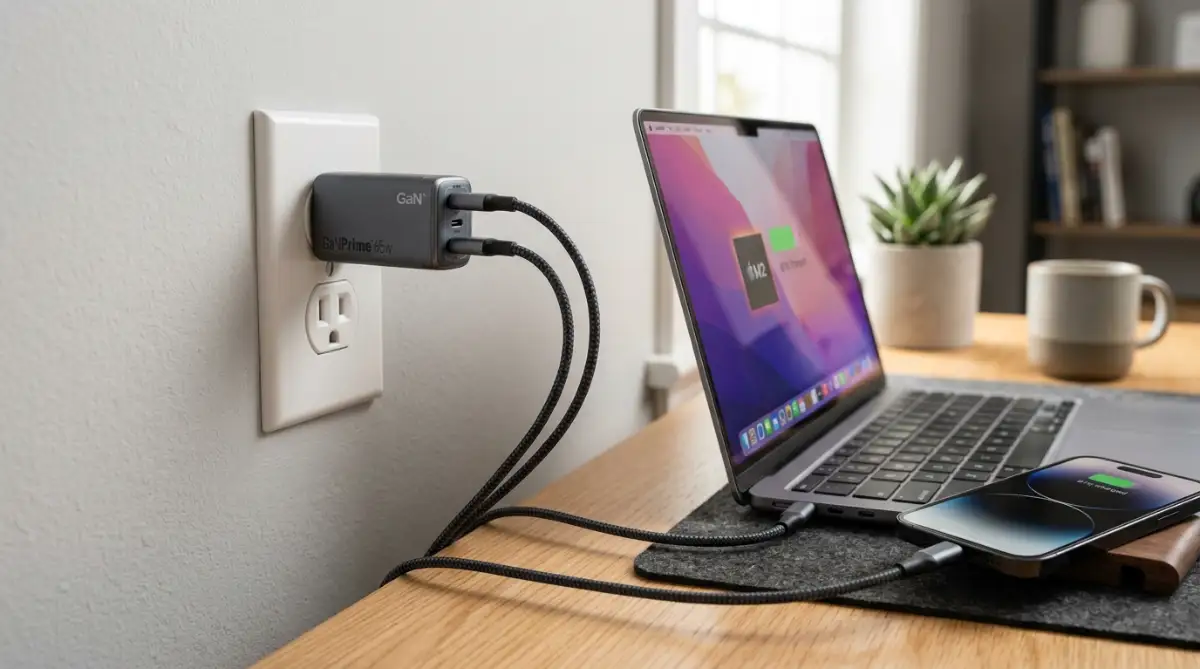
A single 100W Gang wall adapter can fast-charge a primary laptop, a tablet, and a phone simultaneously from one wall outlet. This eliminates the need to carry three separate bulky chargers in your daily commuter backpack.
Students looking to optimize their gear and educational budgets can explore the best community colleges in the USA for affordable education to keep overall academic costs manageable.
Data storage has seen an equally impressive leap forward thanks to portable NVM e solid-state drives. Old mechanical hard drives topped out at sluggish transfer speeds around 100 megabytes per second, taking hours to move heavy folders.
Modern pocket-sized USB-C SSD s deliver blazing speeds reaching up to 2,000 megabytes per second over high-speed data lanes. You can transfer an entire hundred-gigabyte video project in under two minutes without waiting around.
When selecting charging cables for laptops, always verify that the cord includes an Electronically Marked E-Marker chip. Cables pushing power above sixty watts require this microchip to regulate electrical voltage and prevent dangerous wire overheating.
Smart technology investments help you protect your career tools without taking on unnecessary credit debt. If you are balancing technology purchases with long-term financial planning, check how to improve your credit score before applying for a mortgage to build solid credit foundations.

Section 4: Common Mistakes and Pitfalls to Avoid
A very common mistake is using cheap unbranded charging bricks purchased from discount bins. Low-quality power bricks lack surge protection chips, sending unstable electrical voltage that can fry your computer logic board.
Always buy power adapters from certified, well-reviewed brands that meet international electrical safety standards. Spending a few extra dollars protects a laptop that costs thousands of dollars to replace.
Another frequent trap is overloading small bus-powered travel hubs with power-hungry accessories. Plugging multiple mechanical drives, audio interfaces, and webcams into an unpowered hub causes sudden drive disconnections and file corruption.
If you run a complex desktop setup, always invest in a powered docking station that connects directly to a wall outlet. Dedicated power ensures every peripheral runs smoothly without draining your computer battery.
Finally, never store heavy cords bent at sharp ninety-degree angles inside your bag, as this damages internal copper shielding. As you upgrade your home office tech, learn how to choose your first home insurance policy without stress to safeguard all your valuable electronics.
Section 5: Final Summary and Your Practical Buyer's Checklist
The universal USB-C standard is one of the most convenient technologies in personal electronics when paired with the right hardware. Upgrading to a quality multi-port hub, a compact Gang charger, and high-speed storage turns your portable laptop into a complete desktop studio.
I know how much time and stress I saved once I replaced my drawer of messy adapters with a unified set of certified cables. Taking the time to pick reliable, tested accessories protects your gear, eliminates cable clutter, and keeps your workday moving fast.
Your 5-Step USB-C Buyer's Checklist
- Step 1: Check Video Refresh Rates: Ensure target USB-C hubs support HDMI 4K at 60Hz to prevent sluggish monitor cursor lag.
- Step 2: Account for Pass-Through Power: Pick hubs supporting at least 85W to 100W Power Delivery pass-through so your laptop charges at full speed.
- Step 3: Choose Gang Technology: Replace multiple heavy chargers with a single multi-port Gang wall adapter to save bag space.
- Step 4: Look for E-Marker Chips: Buy 100W or 240W braided cables with built-in safety chips for all high-power charging needs.
- Step 5: Pick NVM e External Storage: Choose portable solid-state drives delivering at least 1,000 MB/s read and write speeds for fast backups.
Section 6: Internal Links Integration Check
- easy AI website builders for small businesses - Integrated naturally in Section 2 regarding digital portfolio launches.
- best community colleges in the USA for affordable education - Integrated naturally in Section 3 regarding student tech budgets.
- how to improve your credit score before applying for a mortgage - Integrated naturally in Section 3 regarding personal finance planning.
- how to choose your first home insurance policy without stress - Integrated naturally in Section 4 regarding electronics asset protection.
Section 7: Frequently Asked Questions
Why does my USB-C hub get warm during heavy use?
Aluminum hubs act as passive heat sinks, absorbing operational heat from video processors and power delivery chips. Mild warmth is normal, but the hub should never become too hot to hold comfortably.
What happens if I use a 240W cable on a 65W laptop?
Your computer and charger will safely negotiate power delivery, drawing only the 65 watts required. Higher-rated cables are completely backward-compatible and provide an extra layer of electrical safety.
Can a standard USB-C cable transfer 4K video to a monitor?
No, basic charging cables only carry power and slow USB 2.0 data lines without video wiring. You need a cable rated for USB 3.2 Gen 2, Us B4, or Thunderbolt to output display signals.
What is the difference between Thunderbolt 4 and standard USB-C?
Thunderbolt 4 guarantees 40 Gbps bandwidth, dual 4K display output, and strict performance minimums across all devices. Standard USB-C ports vary widely in speed and display capabilities depending on the manufacturer.
Are Gang chargers safer than older silicone charging bricks?
Yes, Gallium Nitride chargers generate less internal resistance and heat, lowering the risk of thermal damage. They also feature intelligent dynamic power allocation to protect connected batteries.
Section 8: Professional Disclaimer
Tech & Consumer Hardware Disclaimer: The information provided in this guide is for educational, informational, and general consumer technical guidance only. Hardware performance, charging speeds, and display compatibility depend on specific device models, operating system firmware, and manufacturer specifications. Always review your hardware manufacturer documentation and power requirements before connecting high-wattage power supplies or third-party adapters.