10 Smart Home Office Gadgets to Maximize Your Daily Productivity
Spending long hours working from home on an uncomfortable, cluttered desk can quickly lead to lower back stiffness, eye strain, and daily fatigue. Upgrading your workspace with thoughtful ergonomic gadgets—like a dual-motor standing desk, glare-free monitor light bar, and single-cable docking station—transforms your physical comfort and mental focus. This complete guide walks you through the best smart home office gear to help you build a clean, high-performance workspace that protects your health.
Section 1: The Modern Workspace Struggle and My Daily Wake-Up Call
A few years ago, I found myself sitting at my desk for nine hours every single day, completely exhausted and nursing a constant ache in my lower back. My workspace was a total disaster of tangled charging cables, harsh overhead lighting reflecting off my screen, and a flat mouse that made my wrist throb by mid-afternoon. I spent months feeling mentally drained and distracted, struggling to focus while constantly shifting positions in an uncomfortable chair. That painful season taught me that working from home without the right equipment slowly destroys your energy, posture, and creative drive. I decided to take control of my physical health by investing in a dual-motor standing desk, an asymmetric monitor light bar, and a vertical mouse. That single transformation relieved my physical strain, cleared the visual clutter from my mind, and made my workday deeply productive again.
Working from home has become a permanent lifestyle for millions of professionals, creators, and freelancers across the country. However, many people still spend their days hunched over kitchen tables or basic flat desks that offer zero ergonomic support.
Sitting motionless for hours restricted in one posture causes physical fatigue and eye strain. Harsh overhead lights bounce directly off computer displays, creating reflections that cause recurring evening headaches.
Visual clutter from messy charging cords adds subconscious mental friction, making it harder to enter a state of deep concentration. You end up constantly adjusting your setup instead of focusing on high-value tasks.
Your home workstation should function as a personal productivity engine that protects your body and speeds up your daily workflow. Adding smart, ergonomic desk gadgets bridges the gap between physical well-being and digital output.
Let us look at the most impactful desk upgrades that eliminate clutter, support your spine, and turn your office into a comfortable sanctuary.
Section 2: Ergonomic Foundations, Smart Lighting, and Desktop Audio
Building an effective workstation begins with physical ergonomics, clean lighting, and streamlined connectivity. You do not need to buy every gadget at once to see major improvements in how you feel.
The table below breaks down the primary workspace upgrades and their direct ergonomic benefits.
Home Office Myths vs Reality
- Myth: Using an electric standing desk means you must stand on your feet for eight hours a day.
- Reality: The healthiest routine alternates between sitting for 45 minutes and standing for 15 minutes to keep blood flowing naturally.
- Myth: Standard desk lamps provide the same visual benefits as an asymmetric monitor light bar.
- Reality: Traditional lamps bounce glare off screen glass, whereas monitor light bars project a directional beam that keeps the display clear.
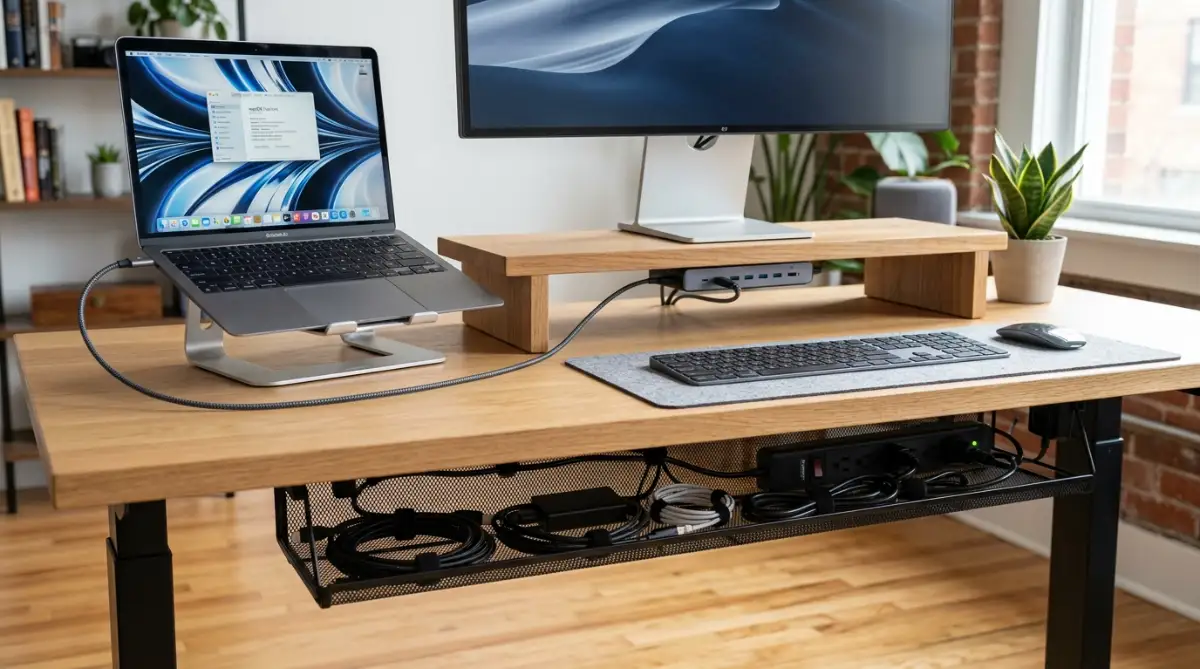
My Personal Pro Tip: When I set up my workspace, I connect all my monitors, speakers, keyboard, and charger into a single powered docking station tucked under a desk riser. Plugging just one USB-C cable into my laptop instantly connects everything while keeping my desktop completely free of messy cords.
Watch this video guide to discover essential desk accessories for your home office setup:
If you run a remote digital business or manage client projects from home, you can easily build your online brand using easy AI website builders for small businesses in just a few clicks.
Section 3: Advanced Cable Management, Audio Clarity, and Lighting Automation
Visual clutter on your desk translates directly into mental fatigue. A messy web of seven different charging cables and bulky power bricks creates continuous subconscious distraction.
Mounting a steel wire basket beneath your desk surface keeps power strips and bulky adapters completely out of sight. Woven cable sleeves and magnetic clips along the desk edge keep your charging tips accessible without letting them drop to the floor.
Pairing cable management with a desktop monitor shelf creates a clean multi-level workspace. You can slide your keyboard, external hard drives, and small accessory cases underneath the shelf when not in use.
Students balancing remote study routines with academic goals can explore the best community colleges in the USA for affordable education while keeping their workspace budget under control.
Audio hardware is another essential element of a professional home office. Wearing heavy headphones for back-to-back Zoom calls creates physical ear fatigue and headaches by mid-afternoon.
Adding a pair of compact studio monitor speakers and an AI-powered noise-canceling USB speakerphone delivers crystal-clear audio during client meetings. Smart microphones filter out household background noises like barking dogs or kitchen appliances automatically.
Smart ambient lighting behind your monitor adds the final layer of comfort. Bias lighting reduces the stark contrast between a bright screen and a dark room, helping your eyes stay relaxed during late-night projects.
Managing your equipment expenses responsibly protects your personal finances. If you are balancing workstation purchases with education planning, compare federal vs private student loans to choose wisely to maintain a healthy budget.
Section 4: Common Mistakes and Pitfalls to Avoid
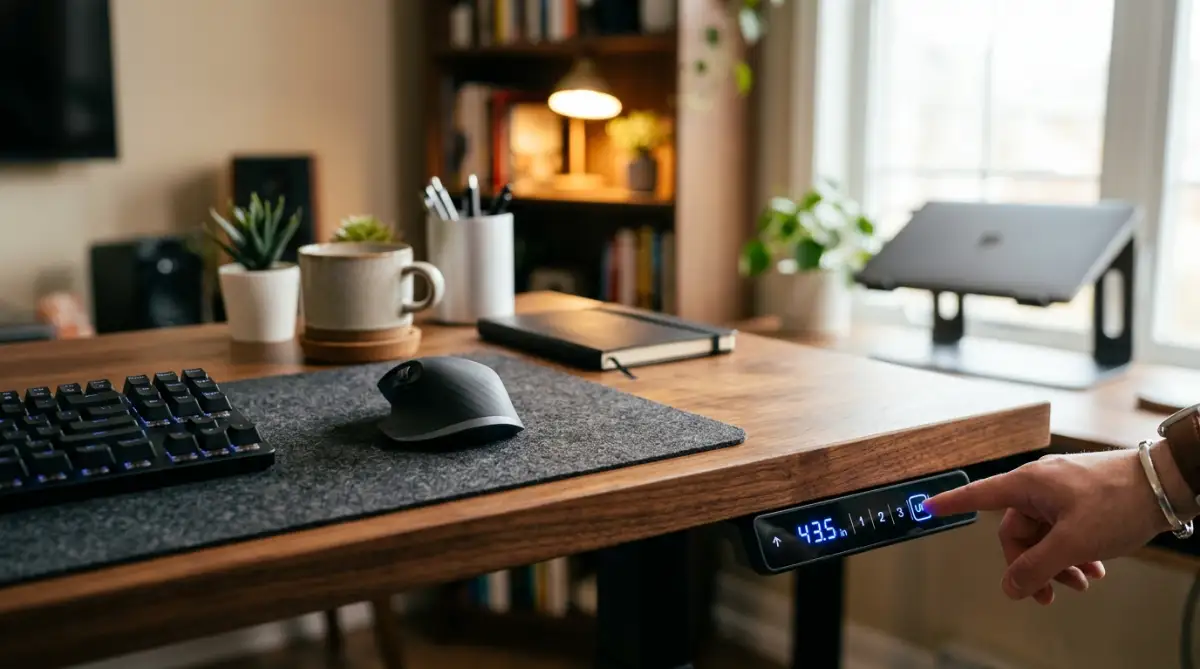
One major mistake is buying a cheap single-motor standing desk with a low weight capacity. Single-motor desks often wobble violently at standing height, shaking your monitors and spilling drinks while typing.
Always choose a sturdy dual-motor frame with memory presets and anti-collision safety sensors. A solid frame stays rock-steady whether you are sitting or standing.
Another frequent trap is buying random accessories from unverified brands without checking compatibility. Mismatched wireless dongles and conflicting charging bricks quickly create technological headaches.
Stick to unified multi-port GaN chargers and multi-device wireless keyboards that switch smoothly between your laptop and tablet. This keeps your desktop clean and saves precious wall outlets.
Never place your monitor too low or too high relative to your eye line. The top third of your screen should sit directly at eye level to prevent your neck from tilting downward.
As you invest in premium electronics and hardware for your home, discover how to choose your first home insurance policy without stress to safeguard all your equipment.
You can also review how to improve your credit score before applying for a mortgage as you plan long-term home improvement upgrades.
Section 5: Final Summary and Your Practical Upgrade Roadmap
Creating a high-performance home office is not about buying every trendy gadget on the internet. It is about choosing thoughtful, ergonomic tools that protect your physical health, eliminate clutter, and make working enjoyable.
I know how much difference a clean, supportive desk setup makes because it completely restored my daily energy and focus. Taking deliberate steps today to improve your lighting, posture, and cable organization will pay massive dividends in your health and career success.
Your 5-Step Smart Home Office Roadmap
- Step 1: Upgrade Your Desk & Mouse First: Invest in a dual-motor standing desk and a vertical mouse to protect your back and wrists.
- Step 2: Add Glare-Free Lighting: Mount an asymmetric monitor light bar to eliminate eye fatigue and screen glare.
- Step 3: Clean Up All Cables: Install an under-desk cable tray and route all connections through a single-cable docking station.
- Step 4: Improve Video and Audio: Add a dedicated noise-canceling speakerphone and external speakers for comfortable client calls.
- Step 5: Protect Your Desk Surface: Use a large felt or leather desk mat and a coaster to keep your workspace looking sharp and organized.
Section 6: Internal Links Integration Check
- easy AI website builders for small businesses - Integrated naturally in Section 2 regarding home business websites.
- best community colleges in the USA for affordable education - Integrated naturally in Section 3 regarding student study setups.
- federal vs private student loans to choose wisely - Integrated naturally in Section 3 regarding personal finance management.
- how to choose your first home insurance policy without stress - Integrated naturally in Section 4 regarding property and gadget protection.
- how to improve your credit score before applying for a mortgage - Integrated naturally in Section 4 regarding long-term financial planning.
Section 7: Frequently Asked Questions
Why is an asymmetric monitor light bar better than a traditional desk lamp?
An asymmetric light bar clips onto your monitor and directs light downward across your desk without shining onto the screen glass. This illuminates your keyboard and documents while completely eliminating screen glare.
How often should I alternate between sitting and standing at work?
Ergonomic experts recommend the 45/15 rule: sit for 45 minutes, stand for 15 minutes, and take a brief stretch each hour. This routine promotes healthy blood circulation and prevents spine compression.
What are the health benefits of using a vertical ergonomic mouse?
A vertical mouse aligns your hand in a neutral handshake position, preventing your forearm bones from twisting. This natural posture takes continuous pressure off the carpal tunnel nerve and reduces wrist fatigue.
Can a single USB-C docking station power dual external monitors?
Yes, modern USB-C and Thunderbolt docking stations have enough bandwidth to drive dual 4K monitors while charging your laptop. They allow you to connect all your peripherals using one single cable.
What is the purpose of a felt or leather desk mat?
A desk mat protects your tabletop from scratches and spills while providing a smooth surface for your mouse and keyboard. It also unifies your accessories visually to make your workstation look clean and organized.
Section 8: Professional Disclaimer
Tech & Ergonomics Disclaimer: The information provided in this guide is for educational, informational, and general consumer technical guidance only. Ergonomic benefits, hardware specifications, power outputs, and physical health results vary based on individual medical conditions, room layouts, and manufacturer hardware standards. Always consult a qualified medical professional or ergonomic specialist regarding chronic back pain, repetitive strain injuries (RSI), or carpal tunnel symptoms.